Startechcom SATDOCKU3FEU User Manual
Browse online or download User Manual for Computer Accessories Startechcom SATDOCKU3FEU. StarTech.com SATDOCKU3FEU User Manual [es] [de] [en] [it]
- Page / 12
- Table of contents
- BOOKMARKS
Rated. / 5. Based on customer reviews

Manual Revision: 03/12/2014
For the most up-to-date information, please visit: www.startech.com
DE: Bedienungsanleitung - de.startech.com
FR: Guide de l'utilisateur - fr.startech.com
ES: Guía del usuario - es.startech.com
IT: Guida per l'uso - it.startech.com
NL: Gebruiksaanwijzing - nl.startech.com
PT: Guia do usuário - pt.startech.com
SATDOCKU3SEF / SATDOCKU3FGB / SATDOCKU3FEU
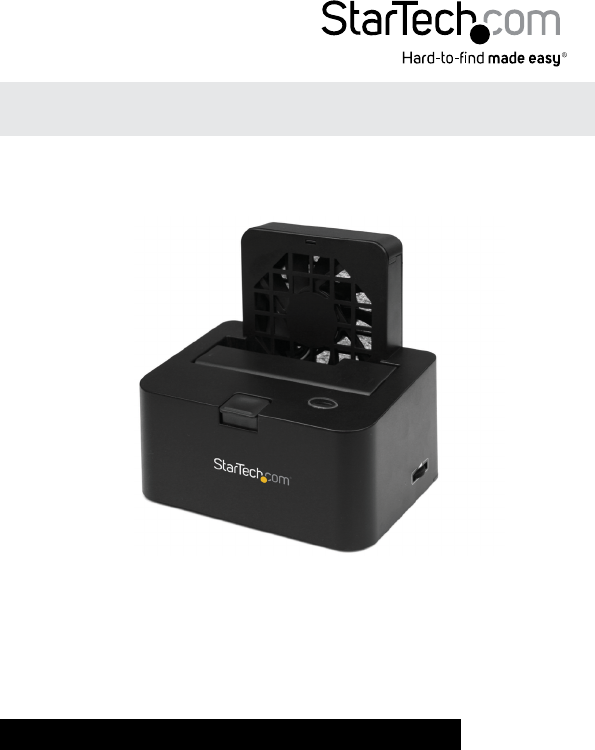
USB 3.0 eSATA to SATA Hard Drive Docking Station
with Fan
*actual product may vary from photo
Summary of Contents
Page 1 - with Fan
Manual Revision: 03/12/2014For the most up-to-date information, please visit: www.startech.comDE: Bedienungsanleitung - de.startech.comFR: Guide de l&
Page 2 - FCC Compliance Statement
Instruction Manual7SpecicationsDrive Bays 1Host InterfaceSuperSpeed USB 3.0SATA revsion 2.xChipset ID JMicron JMS551Connectors1 x USB 3.0 type B fema
Page 3 - Table of Contents
Instruction Manual8Technical SupportStarTech.com’s lifetime technical support is an integral part of our commitment to provide industry-leading soluti
Page 4 - Introduction
Hard-to-nd made easy. At StarTech.com, that isn’t a slogan. It’s a promise.StarTech.com is your one-stop source for every connectivity part you need.
Page 5 - Rear View
Instruction ManualFCC Compliance StatementThis equipment has been tested and found to comply with the limits for a Class B digital device, pursuant to
Page 6 - Installation
Instruction ManualiTable of ContentsIntroduction ... 1Packagi
Page 7 - Driver Installation
Instruction Manual1IntroductionThe SATDOCKU3SEF eSATA/USB 3.0 to SATA Hard Drive Docking Station with Fan delivers quick and easy access to a 2.5in or
Page 8 - Using the Storage Device
Instruction Manual2Front ViewRear View
Page 9 - Instruction Manual
Instruction Manual3InstallationWARNING! Hard drives and storage enclosures require careful handling, especially when being transported. If you are not
Page 10 - Specications
Instruction Manual4NOTE: When connected via USB, the Dock will automatically go into Suspend Mode if the connection is left idle for more than 5 minut
Page 11 - Warranty Information
Instruction Manual5Using the Storage DeviceWindows 2000/XP/Vista/7If you are using a brand new hard drive that does not contain any data, then you wil
Page 12
Instruction Manual6The New Partition Wizard will appear. Follow the instructions in the wizard to complete setting up the drive. Once complete, the
Related products and manuals for Computer Accessories Startechcom SATDOCKU3FEU
 (10 pages)
© 2020, manymanuals.com. All rights reserved. | 0.082 s |
 Manymanuals.com
 Manymanuals.de
 Manymanuals.fr
 Manymanuals.it
 Manymanuals.pl
 Manymanuals.cz
 Manymanuals.es
 Manymanuals-pt.com
Comments to this Manuals