Startechcom USBVGADOCK2 User Manual
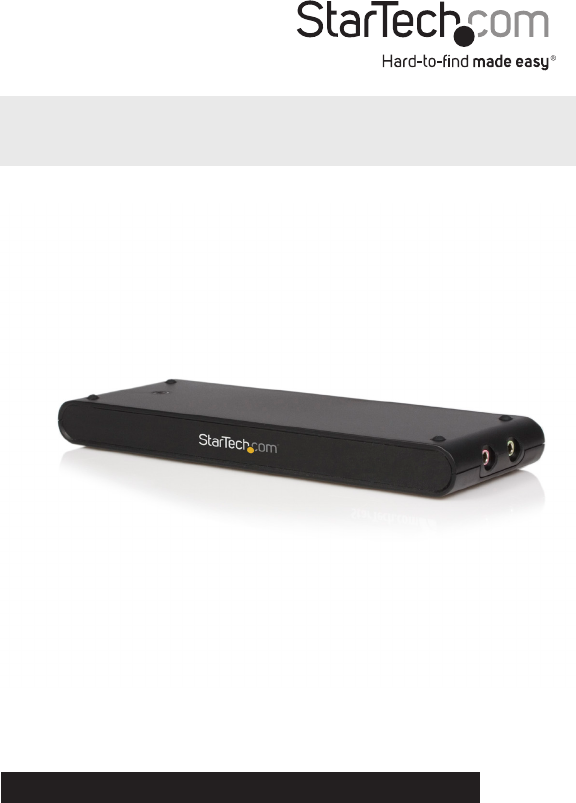
Browse online or download User Manual for Computer Accessories Startechcom USBVGADOCK2. StarTech.com USBVGADOCK2 User Manual
- Page / 15
- Table of contents
- BOOKMARKS

- VGA Audio Ethernet 1
- Table of Contents 3
- Introduction 4
- Rear View 5
- Side Views 5
- Installation 6
- Instruction Manual 7
- Verifying Installation 8
- Display ID 9
- Display Resolution 9
- Display Rotation 9
- Display Modes 10
- Identify Monitors 11
- Multi-Display Control Panel 11
- Display Settings 11
- Supported Video Resolutions 12
- Specications 13
- Technical Support 14
- Warranty Information 14
Summary of Contents
Manual Revision: 03/10/2011DE: Bedienungsanleitung - de.startech.comFR: Guide de l'utilisateur - fr.startech.comES: Guía del usuario - es.startec
Instruction Manual7Display Modes “EXTENDED” DISPLAY MODE (DEFAULT)A default display mode; this feature allows the attached USB Video Adapter enabled d
Instruction Manual8Identify MonitorsEasy display identication via an overlay will be shown in the upper right corner of all attached display devices.
Instruction Manual9Supported Video Resolutions Resolution Color Depth Refresh Rate800x600 16/32-bit 60/75Hz1024x768 16/32-bit 60/75Hz1152x864 16/32-b
Instruction Manual10Specications Bus Interface USB 2.0Video Signal VGA (RGBHV)Chipset IDLAN: SMSC LAN9500Video:Trigger UV-185CB-128Connectors1 x USB
Instruction Manual11Technical SupportStarTech.com’s lifetime technical support is an integral part of our commit-ment to provide industry-leading solu
Hard-to-nd made easy. At StarTech.com, that isn’t a slogan. It’s a promise.StarTech.com is your one-stop source for every connectivity part you need.
FCC Compliance StatementThis equipment has been tested and found to comply with the limits for a Class B digital device, pursuant to part 15 of the FC
Instruction ManualiTable of ContentsIntroduction ...
Instruction Manual1Introduction This USB to VGA adapter and docking station oers combined functionality of a 4-in-1 docking station by converting a s
Instruction Manual2Rear ViewSide ViewsRJ45 Ethernet connectorVGA connectorUSB 2.0 connectorUSB Link LEDDC Power connector3.5mm mini-jack Audio (Mic/Sp
Instruction Manual3* Please ensure that the driver installation is complete prior to the physical installation of the USB 2.0 to VGA Docking StationDr
Instruction Manual48. A Hardware Installation Wizard dialog will show up, please select “No, not this time” and click “Next” to continue. 9. Please
Instruction Manual5Verifying InstallationFrom the main desktop, right-click on “My Computer” (“Computer” in Vista), then select Manage. In the new Com
Instruction Manual6Conguring the USB Video AdapterLook for the USB Video Adapter icon ( ) on your Windows Start bar. Right-click this icon to access
Related products and manuals for Computer Accessories Startechcom USBVGADOCK2
 (10 pages)
© 2020, manymanuals.com. All rights reserved. | 0.073 s |
 Manymanuals.com
 Manymanuals.de
 Manymanuals.fr
 Manymanuals.it
 Manymanuals.pl
 Manymanuals.cz
 Manymanuals.es
 Manymanuals-pt.com
Comments to this Manuals