Startechcom MSTMDP123DP User Manual Page 5

  • Download
  • Add to my manuals
  • Print
  • Page
    / 10
  • Table of contents
  • BOOKMARKS
  • Rated. / 5. Based on customer reviews
Page view 4
Instruction Manual
2
Installation
1. Ensure your computer system and DisplayPort Displays are powered o.
2. Connect the integrated Mini DisplayPort cable into the Mini DisplayPort connector
on the host computer system/video card.
3. Connect the DisplayPort monitor/display device(s) into the DisplayPort #1/#2/#3
connectors on the MSTMDP123DP MST Hub.
4. Power on the monitor/display device(s).
5. Turn on the computer system.
6. The system will now detect the MST Hub, and add the attached displays to the
Display Settings of the System.
Microsoft® WindowOperation
With a DisplayPort 1.2 compatible video card, Microsoft Windows® will recognize the
individual Displays (up to 3) and can either Extend or Duplicate the main Monitor.
Adjust video settings in Microsoft Windows®
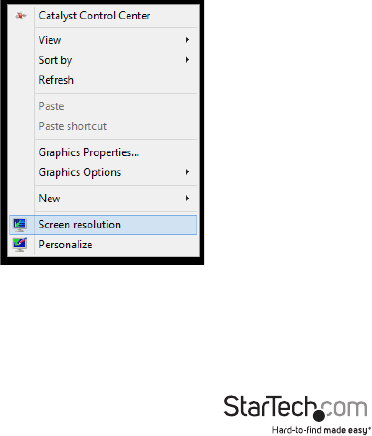
1. Right click the Windows Desktop and select “Screen Resolution”. The Display Settings
window appears.
Page view 4
1 2 3 4 5 6 7 8 9 10

Comments to this Manuals

No comments